Create Free Gift
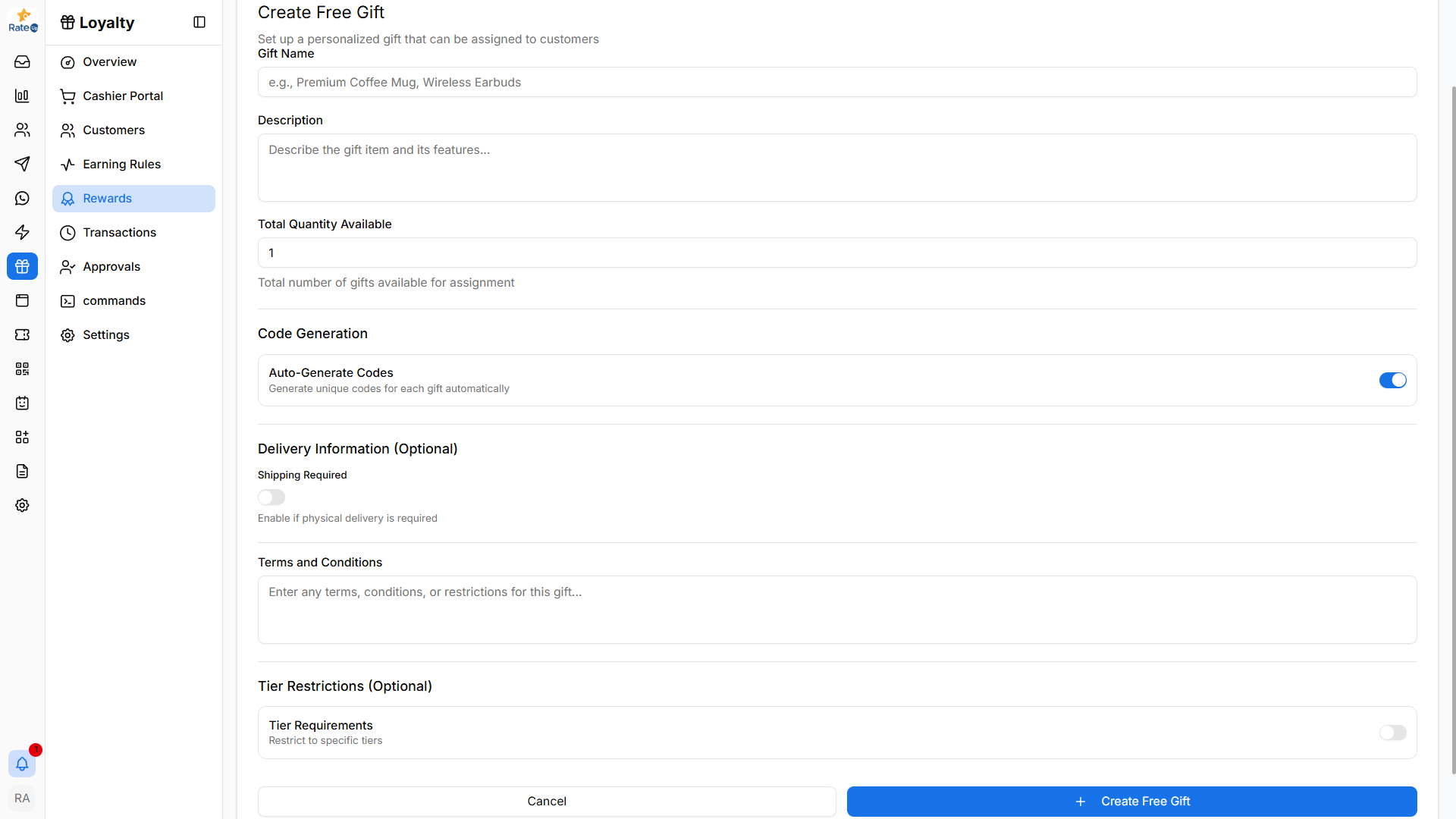
The Create Free Gift page allows administrators to configure gifts that can be assigned to customers. These gifts can include physical items, vouchers, or special complimentary offers.
Creating a Free Gift
To create a new free gift:
- Navigate to Loyalty from the sidebar.
- Click Rewards.
- Select the Free Gifts tab.
- Click Create Gift.
The Create Free Gift form will open.
Gift Name
Enter the name of the gift that customers will receive.
Examples:
- Premium Coffee Mug
- Complimentary Signature Mocktail
- Wireless Earbuds
Description
Provide a brief description of the gift.
Example: Enjoy a complimentary signature mocktail on your next visit.
This description helps staff and customers understand the reward.
Total Quantity Available
Specify the total number of gifts that can be assigned.
Example:
- 100 gifts available
Once the quantity limit is reached, the gift can no longer be assigned.
Code Generation
Controls how redemption codes are generated for the gift.
Auto-Generate Codes
When enabled, the system automatically generates unique redemption codes for each gift.
These codes can be used when redeeming or claiming the gift.
Delivery Information (Optional)
This section is used when the gift requires delivery.
Shipping Required
Enable this option if the gift needs to be physically shipped to the customer.
Example:
- Merchandise
- Physical vouchers
- Gift packages
Terms and Conditions
Add any restrictions or usage conditions related to the gift.
Examples:
- Valid for dine-in customers only
- Cannot be exchanged for cash
- Valid for one redemption per customer
Tier Restrictions (Optional)
You can restrict the gift to specific loyalty tiers.
Example:
- Available only for Gold and Platinum members
Creating the Gift
After configuring the gift:
- Review the gift details.
- Click Create Free Gift.
The gift will appear in the Free Gifts list and can be enabled or disabled anytime.