Point Earning Rules
The Point Earning Rules page allows administrators to define how customers earn loyalty points through purchases and activities. These rules determine the number of points customers receive based on their loyalty tier and special earning conditions.
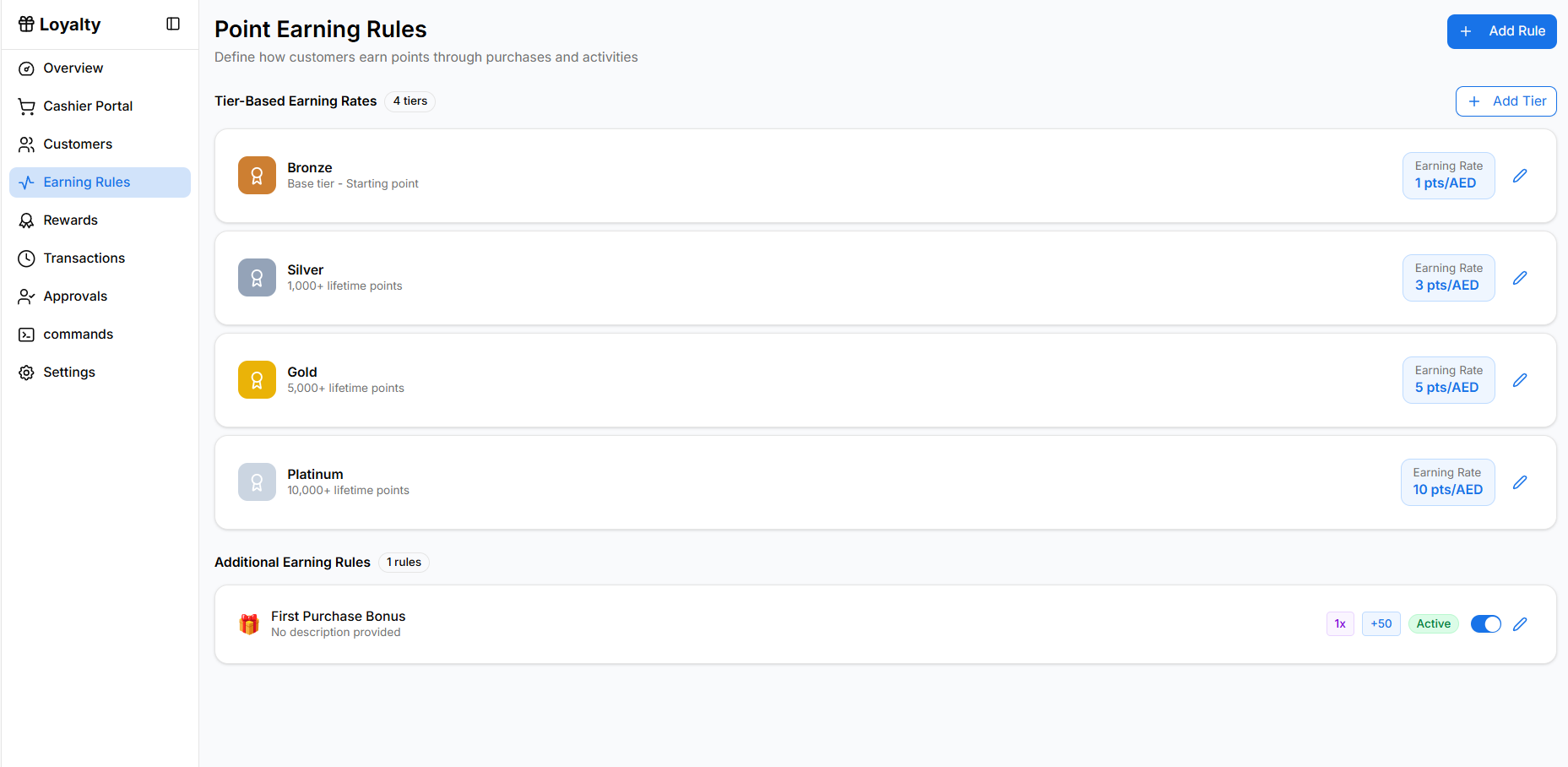
Opening the Earning Rules Page
To access the earning rules configuration:
- Open the Loyalty module from the sidebar.
- Click Earning Rules.
The page displays the current tier-based earning configuration and additional earning rules.
Tier-Based Earning Rates
The Tier-Based Earning Rates section defines how many points customers earn per purchase based on their loyalty tier.
Each tier contains a specific earning rate.
Bronze
- Base tier for all new customers.
- Customers begin in this tier when they join the loyalty program.
- Example earning rate: 1 point per AED spent.
Silver
Customers move to this tier after reaching a defined lifetime points threshold.
Example:
- 1,000+ lifetime points
- Earning rate: 3 points per AED
Gold
Customers reach this tier after accumulating more lifetime points.
Example:
- 5,000+ lifetime points
- Earning rate: 5 points per AED
Platinum
This is the highest loyalty tier.
Example:
- 10,000+ lifetime points
- Earning rate: 10 points per AED
Higher tiers provide customers with better earning rates to encourage continued engagement.
Editing Tier Settings
Administrators can modify tier configuration.
To edit a tier:
- Click the edit icon next to the tier.
- Update the tier configuration.
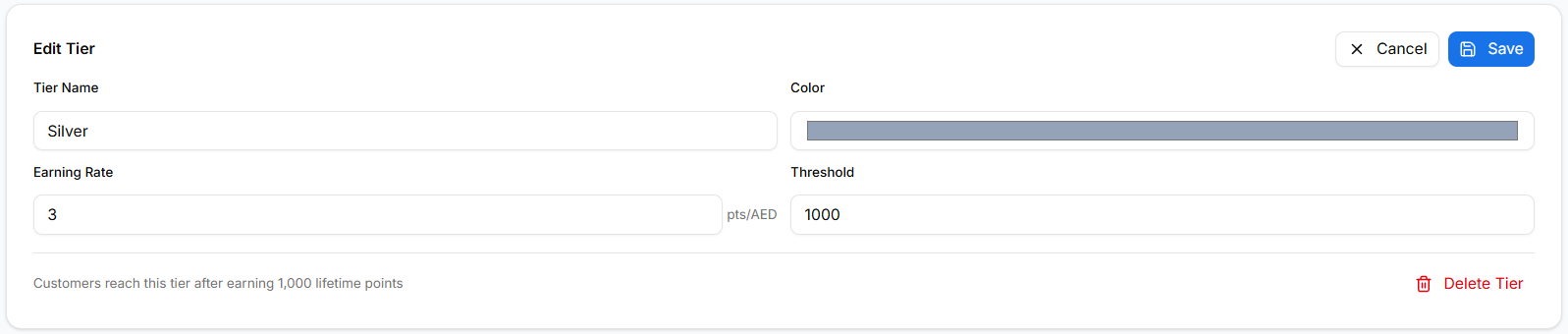
Available settings include:
- Tier Name – The name of the loyalty tier.
- Color – The visual color associated with the tier.
- Earning Rate – Points earned per currency spent.
- Threshold – Lifetime points required to reach the tier.
Changes take effect after clicking Save.
Additional Earning Rules
The Additional Earning Rules section allows administrators to create bonus point rules for specific actions or events.
Example rule:
- First Purchase Bonus
This rule awards bonus points when a customer makes their first purchase.
Managing Additional Rules
Administrators can manage bonus rules from this section.
Each rule may include:
- Multiplier – Adjusts how points are calculated.
- Bonus Points – Additional points granted.
- Active Toggle – Enables or disables the rule.
To edit an existing rule:
- Click the edit icon next to the rule.
- Update the rule configuration.
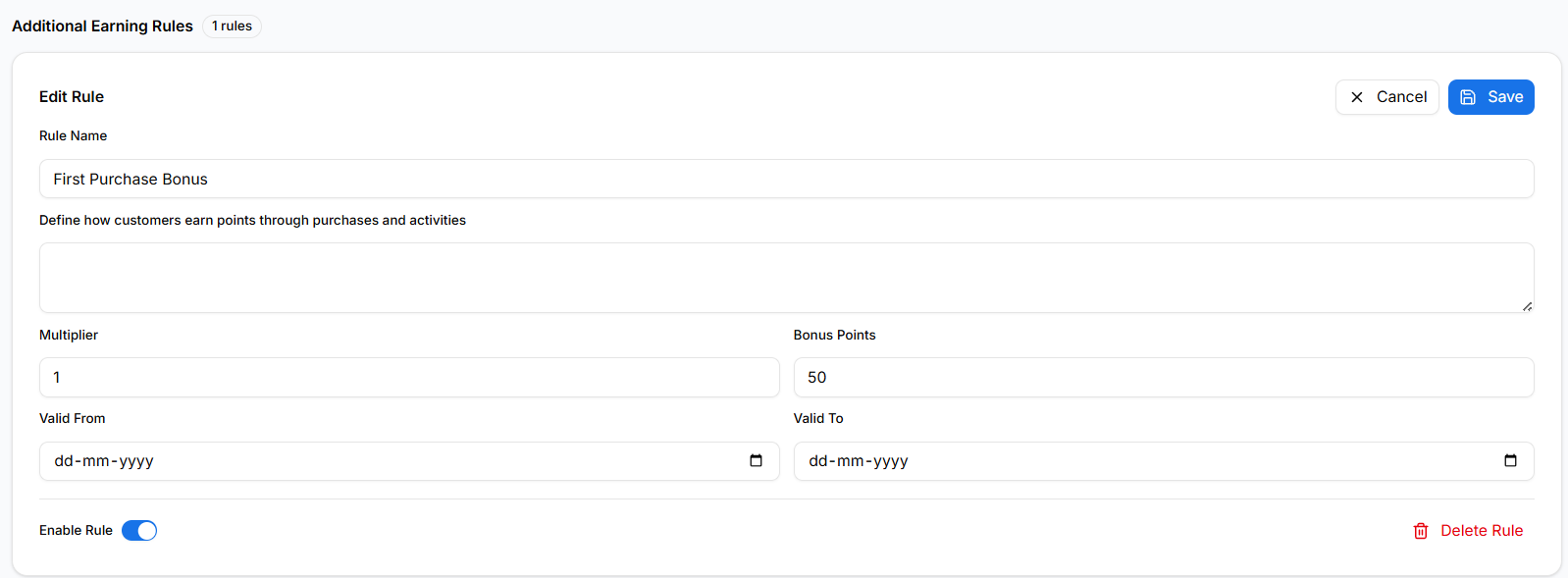
Settings include:
- Rule Name
- Description
- Multiplier
- Bonus Points
- Valid From / Valid To dates
- Enable Rule toggle
You can also remove a rule using the Delete Rule option.
Adding a New Rule
To create a new bonus rule:
- Click Add Rule in the top-right corner.
- Configure the rule settings.
- Save the rule.
The process of creating a new rule will be explained in the Add Rule page.
Why Earning Rules Matter
Earning rules help businesses:
- Control how loyalty points are distributed
- Encourage repeat purchases
- Reward high-value customers
- Promote specific customer behaviors
Properly configured earning rules help maintain an engaging and effective loyalty program.